Author name: garvita

Google Ads & PPC

How to Create High-Converting Landing Pages for Google Ads

Here’s a scenario I’ve seen play out hundreds of times in my years running PPC campaigns: a business builds a solid Google Ads campaign, writes tight ad copy, picks smart keywords, sets a healthy budget — and then sends all that traffic straight to their homepage. Three weeks later, they’re staring at a dashboard full of clicks and almost no conversions. The ads weren’t the problem. The landing page was. Paid traffic is expensive. Every click costs money whether or not it converts. When you send that traffic to a page that doesn’t match the ad, loads slowly, or asks for too much information too soon, you’re not just missing conversions — you’re actively burning budget. This guide walks through exactly what separates a landing page that converts from one that quietly drains your ad spend. What Is a Google Ads Landing Page? A Google Ads landing page is a standalone web page built specifically for visitors who click on a paid ad. Unlike your homepage, which serves many purposes and many audiences, a landing page has one job: convince that specific visitor to take one specific action. That action might be filling out a form, booking a call, starting a free trial, or completing a purchase. Everything on the page should push toward that single outcome. Why Landing Pages Matter More Than Homepages Homepages are built for exploration. They have navigation menus, multiple offers, blog links, and a dozen possible next steps. That’s fine for organic visitors who are browsing. But someone who clicked a Google Ad already showed intent. They searched for something specific, read your ad, and clicked because it matched what they wanted. If they land on a generic homepage, they have to hunt for relevance — and most won’t bother. A dedicated landing page removes the guesswork. It picks up exactly where the ad left off. Key Elements of a High-Converting Landing Page Before we go section by section, here’s the shortlist of what every strong landing page needs: A headline that mirrors the ad’s promise A clear, specific value proposition One obvious call-to-action A short, low-friction form Trust signals (reviews, badges, guarantees) Fast load speed Mobile-first design Relevant, high-quality visuals Miss even two or three of these, and your conversion rate will suffer. Write Headlines That Match Ad Intent This is called message match, and it’s one of the most overlooked ranking and conversion factors in PPC. If your ad says “Affordable CRM Software for Small Teams,” your landing page headline should not say “Welcome to Our Platform.” It should echo the exact promise: “Affordable CRM Software Built for Small Teams.” When the headline matches the ad, visitors instantly know they’re in the right place. That reassurance alone can lift conversions significantly. Tip: Run multiple ad groups with different messaging? Build a separate landing page (or at least a dynamic headline) for each one. Create a Strong Value Proposition Your value proposition answers one question in the visitor’s mind: “Why should I choose you instead of closing this tab?” A weak value proposition talks about the company. A strong one talks about the outcome the visitor gets. Weak: “We provide accounting software solutions.” Strong: “Do your books in 10 minutes a week — no accountant required.” Keep it above the fold. Keep it specific. Avoid vague words like “innovative” or “leading” that don’t actually tell anyone anything. Design a Clear Call-to-Action (CTA) Your CTA button is the single most important pixel on the page, yet it’s often the most neglected. A few rules that consistently work: Use action-first language: “Get My Free Quote” instead of “Submit” Make the button color contrast sharply with the background Place one CTA above the fold and repeat it further down Avoid multiple competing CTAs that split attention One clear path forward beats five confusing options every time. Keep Forms Short and User-Friendly Every extra form field is a small tax on your conversion rate. Ask yourself: do you really need a phone number and company size to send someone a free guide? For lead generation landing pages, stick to the essentials — usually name and email. You can always gather more information later in the sales process. Quick test: For every field, ask “Would I abandon this form if I saw this field?” If the answer is maybe, cut it. Use Trust Signals (Reviews, Testimonials, Certifications) People don’t buy from businesses they don’t trust, especially on a first visit from a cold ad click. Effective trust signals include: Verified customer reviews with names and photos Industry certifications or security badges Client logos (if you work with recognizable brands) Money-back guarantees or free trial terms clearly stated Place these near your CTA, not buried at the bottom of the page. Visitors should see proof right when they’re deciding whether to act. Optimize for Mobile Devices More than half of Google Ads clicks now come from mobile devices, depending on your industry. If your landing page isn’t built mobile-first, you’re losing a majority of your traffic before they even read your headline. Mobile optimization checklist: Buttons large enough to tap easily Forms that don’t require zooming Fast-loading images sized for smaller screens No pop-ups that block the main content Test your actual page on an actual phone. Emulators miss things real devices catch immediately. Improve Landing Page Speed Page speed isn’t just a UX nicety — it directly affects your Quality Score in Google Ads, which affects your cost per click. A page that takes more than three seconds to load can lose a significant chunk of visitors before it even finishes rendering. Ways to speed things up: Compress and resize images Limit third-party scripts and tracking pixels Use a lightweight page builder or clean code Enable browser caching and a content delivery network Add High-Quality Visuals Visuals should support the offer, not decorate the page. A product screenshot, a short demo video, or a real photo of your team builds credibility fast. Avoid generic stock photos of people

GEO (Generative Engine Optimization)

How AI Search Engines Rank and Cite Content

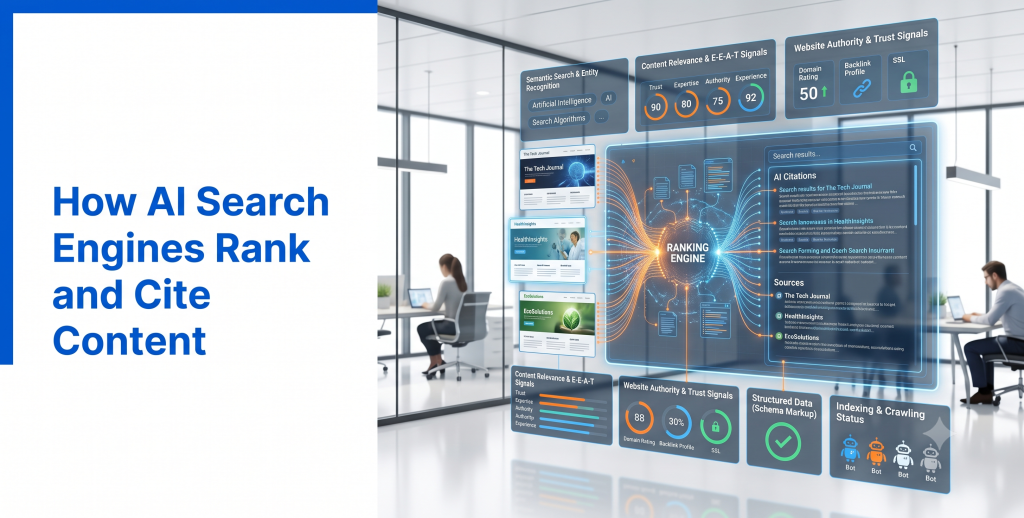
Ever wondered why ChatGPT mentions one brand and not another? Or why Google’s AI Overview quotes a specific stat from a specific site? It’s not random. AI search engines follow patterns, and once you understand them, you can actually influence which content gets picked. Let’s pull back the curtain on how AI search engines rank and cite content, and what that means for anyone creating content today. How AI Search Works Traditional search engines crawl the web, index pages, and rank them using algorithms built around hundreds of signals. Users see a list of links and click through to find their answer. AI search engines work differently. Tools like Google AI Overviews, ChatGPT Search, and Perplexity AI use large language models (LLMs) combined with real-time retrieval systems. When you ask a question, the AI searches relevant sources, reads the content, and generates a synthesized answer in natural language. Some tools cite sources directly, showing links alongside the answer. Others, like standard ChatGPT responses, may summarize information without always crediting where it came from. Either way, your content isn’t competing for a ranking position anymore. It’s competing to be the source the AI trusts enough to pull from. Ranking Factors AI Search Engines Consider AI search engines weigh many of the same fundamentals as traditional SEO, plus a few new priorities. Key factors include: Content clarity: Is the answer easy to extract and understand? Factual accuracy: Can the claim be verified elsewhere? Source credibility: Does the site demonstrate real expertise? Freshness: Is the information current and updated? Structure: Are headings, lists, and formatting clear enough to parse quickly? Unlike traditional rankings, which lean heavily on backlinks, AI models place more weight on how clearly and accurately information is presented. Citation Signals Citation signals determine whether an AI tool decides to reference your content directly. AI models tend to favor: Specific, standalone facts and statistics Clear definitions written in plain language Original research or data not found elsewhere Content that directly answers a specific question For example, a sentence like “Remote employees report 22% higher productivity when given flexible hours, according to a 2025 Gallup study” is far more citable than a vague statement like “Many studies show flexible work helps productivity.” The more specific and verifiable your claim, the more likely it gets quoted. Content Quality Quality still rules everything, but AI search defines quality with a slightly sharper lens. High-quality content, in AI search terms, means: Directly answering the user’s question, ideally within the first few sentences Backing claims with real data or firsthand experience Avoiding filler language that adds length without adding value Covering a topic thoroughly, not just skimming the surface Thin, generic content built purely around keyword targets rarely gets cited. AI models can tell the difference between genuinely useful content and content built just to rank. Authority and Trust Authority matters just as much in AI search as it does in traditional SEO, arguably more. AI models tend to trust: Established publications and recognized industry sources Sites with consistent, accurate publishing history Content backed by named experts with real credentials Sources that other credible sites also reference If you’re a smaller site, building topical authority in a specific niche can help you compete, even against larger, more general competitors. Entity Recognition Entities are specific people, brands, products, or concepts that AI models recognize and connect across different sources. Strong entity signals include: Consistent naming of your brand and key terms across your website Clear connections between your content and recognized industry topics Accurate, consistent business information across platforms like your website and Google Business Profile When AI models clearly understand who you are and what you specialize in, they’re more likely to associate your brand with relevant queries. Semantic Search Semantic search focuses on meaning and context rather than exact keyword matches. AI models understand relationships between concepts. A page about “content marketing strategy” doesn’t need to repeat that exact phrase constantly. It should naturally cover related ideas like audience research, content calendars, distribution channels, and performance tracking. Write content the way you’d naturally explain a topic to someone. Thorough, contextual coverage helps AI models recognize your content as a comprehensive resource, not just a keyword-stuffed page. Structured Data Structured data, or schema markup, helps AI systems interpret your content accurately and efficiently. Useful schema types include: FAQ schema for question-and-answer content Article schema for blog posts Organization schema for business information Product schema for e-commerce listings While structured data doesn’t guarantee citations, it removes ambiguity, making it easier for AI tools to correctly understand and use your content. Internal Linking A well-linked site helps AI crawlers and search engines understand how your content connects and where your expertise lies. Best practices include: Linking naturally to related, relevant content Using descriptive anchor text instead of generic phrases Connecting supporting articles back to your core, comprehensive resources Avoiding orphan pages with no internal links pointing to them This structure signals depth, which helps establish topical authority. EEAT Importance Experience, Expertise, Authoritativeness, and Trustworthiness directly influence whether AI models see your content as citation-worthy. To strengthen EEAT signals: Include real author bios with relevant credentials Share original insights, case studies, or firsthand experience Link to credible sources when referencing outside claims Keep information accurate and regularly updated AI models are increasingly built to prioritize content demonstrating genuine expertise over generic, recycled information. Common Ranking Mistakes Avoid these missteps that hurt AI search visibility: Writing vague, unverifiable claims without supporting data Burying direct answers deep within long paragraphs Ignoring structured data and schema markup Publishing without clear authorship or credentials Letting outdated statistics and information sit unchecked Best Practices To improve your chances of ranking and citation in AI search: Lead with clear, direct answers Use specific data and real examples Structure content with clear headings and short paragraphs Add relevant structured data Build genuine topical authority through consistent, accurate publishing Update content regularly to maintain accuracy Future AI Ranking Signals AI search ranking signals are still evolving,

GEO (Generative Engine Optimization)

The Ultimate GEO Checklist

You’ve read about what GEO is. You know how it differs from SEO. Now comes the part that actually moves the needle: doing the work. This checklist pulls everything together into one practical resource. No fluff, no theory, just a clear list you can run through page by page. Bookmark this one. You’ll want to come back to it. Why GEO Matters AI search tools like ChatGPT, Google AI Overviews, and Perplexity now answer millions of questions every day without sending a single click to a website. If your content isn’t structured for these tools, you’re invisible in a growing part of the search landscape, even if you rank well on Google. GEO isn’t optional anymore. It’s the checklist that keeps you visible no matter how someone searches. Content Checklist Start here, because content is the foundation everything else builds on. Answer the main question in the first 1-2 sentences of each section Use short paragraphs (2-4 sentences max) Include specific numbers, data, or examples instead of vague claims Write in plain, conversational language Cover related subtopics naturally, not just the exact keyword Update outdated stats and information regularly Avoid filler intros that delay the actual answer Example: Instead of writing “There are many factors that affect page speed,” write “Page speed depends mainly on image size, server response time, and code efficiency.” Technical SEO Checklist AI tools still need to crawl and read your site efficiently. Fast loading speed (under 3 seconds ideally) Mobile-friendly, responsive design Clean URL structure Working robots.txt that doesn’t block important pages HTTPS security enabled No broken links or 404 errors on key pages XML sitemap submitted and updated EEAT Checklist Experience, Expertise, Authoritativeness, and Trustworthiness matter more in AI search, not less. Real author bios with genuine credentials First-hand experience or original insights included Sources linked for any statistics or claims Contact information and business details clearly visible Reviews, testimonials, or case studies included where relevant Content reviewed or updated on a regular schedule Example: A finance blog post written by a certified financial planner, with their credentials listed, carries far more weight than an unsigned generic article. AI Citation Checklist This is where GEO gets specific. These steps directly influence whether AI tools quote your content. Write clear, standalone sentences that work as direct quotes Include original data or research AI can’t find elsewhere Add FAQ sections that mirror real user questions Define key terms clearly and early Keep facts accurate and easy to verify Avoid burying important information in long paragraphs Example: A sentence like “Email open rates average 21.5% across industries, according to Mailchimp’s 2025 benchmark report” is easy for an AI tool to lift and cite directly. Structured Data Checklist Structured data helps AI systems understand your content without guessing. Article schema on blog posts FAQ schema on question-based sections Product schema on e-commerce pages Organization schema with accurate business details Breadcrumb schema for site navigation Validated markup with no errors Internal Linking Checklist A well-connected site shows both users and AI models that you cover a topic in depth. Link to related articles naturally within content Use descriptive anchor text, not “click here” Link cornerstone content from multiple relevant pages Avoid orphan pages with no internal links pointing to them Keep navigation simple and logical Semantic SEO Checklist Semantic SEO focuses on meaning and context, not just repeated keywords. Cover related concepts and subtopics thoroughly Use natural variations of your target keyword Avoid forced or repetitive keyword placement Structure headings around real user questions Write the way you’d naturally explain the topic out loud Performance Checklist Ongoing performance tracking keeps your GEO strategy sharp. Monitor organic traffic and rankings monthly Track brand mentions inside AI tools by testing relevant queries Review Google Search Console for indexing issues Check Core Web Vitals regularly Audit top-performing pages for GEO improvements Common Mistakes Even experienced marketers slip up here. Watch for these: Treating GEO as a one-time project instead of an ongoing habit Keyword stuffing content in an attempt to “optimize” it Ignoring structured data entirely Publishing content without clear author credentials Letting outdated statistics sit unchecked for years Focusing only on rankings while ignoring AI visibility Final GEO Audit Checklist Before publishing or updating any page, run through this quick final pass: Does the content answer the main question clearly and early? Is the structure scannable, with short paragraphs and clear headings? Are claims backed by real data or experience? Is structured data added and validated? Are internal links relevant and natural? Is the page technically sound and mobile-friendly? Would this content be easy for an AI tool to quote accurately? If you can check every box, your content is in strong shape for both traditional SEO and AI search. Conclusion GEO doesn’t require reinventing your entire strategy. It requires sharpening what already works: clear content, real expertise, solid technical foundations, and structure that makes sense to both humans and machines. Run your next page through this checklist before hitting publish. Small, consistent improvements add up fast, and they’re exactly what keeps you visible as search keeps evolving. FAQs 1. How often should I run through this GEO checklist? Ideally, review new content before publishing and revisit older, high-traffic pages every few months. 2. Do I need to complete every item on this checklist for every page? Not always. Prioritize high-value pages first, then work through the rest over time. 3. Is this checklist only for blog content? No. It applies to product pages, service pages, and any content you want visible in both traditional and AI search. 4. How do I know if my GEO efforts are working? Test relevant questions directly in AI tools and check if your brand or content gets mentioned, alongside monitoring organic traffic trends. 5. Can I use this checklist alongside my existing SEO process? Yes. This checklist is designed to complement, not replace, your current SEO workflow.   Meta Title: Th

GEO (Generative Engine Optimization)

How to Optimize Your Website for AI Search

A few years ago, “getting found online” meant one thing: ranking on Google’s first page. Today, it means something bigger. Your content also needs to show up inside AI Overviews, ChatGPT answers, and Perplexity summaries. If you’re only optimizing for traditional rankings, you’re missing half the picture. Here’s how to actually optimize your website for AI search, step by step, with practical changes you can start making today. Understanding AI Search AI search tools like Google AI Overviews, ChatGPT, Perplexity, and Copilot don’t just crawl and rank pages. They read content, extract facts, and generate a direct answer for the user. Instead of showing ten blue links, these tools summarize information from multiple sources into one conversational response. Sometimes they cite the original sources. Sometimes they don’t. This means your content has a new job. It’s not just competing for a ranking spot anymore. It’s competing to be the source an AI model trusts enough to quote. How AI Search Differs from Traditional Search Traditional search engines rank pages using signals like keywords, backlinks, and site authority, then display a results list. Users click through to find their answer. AI search skips that step. It reads across many sources, synthesizes the information, and delivers the answer directly. The user might never click anything at all. This changes what “ranking” even means. Instead of asking “does my page appear on page one,” the real question becomes “does my content get pulled into the answer.” That shift is exactly why AI search optimization requires new thinking, not a complete overhaul, but a real shift in priorities. Website Structure for AI Search AI models favor content that’s easy to parse. That starts with structure. Use clear, descriptive headings (H1, H2, H3) that reflect how people actually phrase questions. Instead of a vague heading like “Our Process,” try “How Does Our Onboarding Process Work?” Break content into scannable sections. Long, dense blocks of text are harder for AI models to extract clean facts from. Short paragraphs, bullet points, and numbered lists make it much easier for both AI tools and human readers to find what they need. A logical hierarchy matters too. Pages should flow from a clear introduction, into specific sections, ending with practical takeaways, not buried thoughts scattered across a wall of text. Content Optimization AI search rewards content that directly answers a question, ideally within the first few sentences of a section. If someone asks “What is the best time to post on Instagram,” don’t bury the answer three paragraphs deep. Lead with it, then explain the reasoning afterward. Other content habits that help: Answer one clear question per section. Use specific numbers, data, and examples instead of vague claims. Avoid filler phrases that add length without adding value. Write like you’re explaining something to a smart friend, not writing a legal document. Semantic SEO Semantic SEO means optimizing for meaning and context, not just exact keyword matches. AI models understand relationships between concepts. A page about “email marketing tips” doesn’t need to repeat that exact phrase twenty times. It needs to naturally cover related ideas: subject lines, open rates, segmentation, automation, and deliverability. Write content the way you’d naturally talk about a topic. Cover it thoroughly, use related terms organically, and trust that AI models are smart enough to connect the dots. Entity Optimization Entities are specific people, places, brands, or concepts that search engines and AI models recognize and connect across the web. To strengthen entity signals: Use consistent naming for your brand, products, and key terms across your site. Link to authoritative sources when referencing outside data or concepts. Make sure your business information (name, address, industry) is consistent across your website, Google Business Profile, and other platforms. Strong entity signals help AI models understand exactly who you are and what you’re an authority on. Structured Data Structured data, or schema markup, helps AI tools and search engines understand your content’s context instantly, instead of guessing. Useful schema types include: Article schema for blog posts. FAQ schema for question-and-answer sections. Product schema for e-commerce pages. Organization schema for business details. Adding structured data doesn’t guarantee AI citations, but it removes friction, making it easier for these systems to accurately interpret your content. EEAT Signals EEAT stands for Experience, Expertise, Authoritativeness, and Trustworthiness. It matters just as much for AI search as it does for traditional SEO, arguably more. To strengthen EEAT: Include real author bios with genuine credentials. Share firsthand experience, case studies, or original data when possible. Link to credible sources to back up claims. Keep information accurate and updated regularly. AI models are increasingly built to favor content that demonstrates real expertise over generic, recycled information. Internal Linking Internal links help AI crawlers and search engines understand how your content connects. A well-linked site signals depth and topical authority. Link naturally between related articles. If you’re writing about “GEO best practices,” link to your related piece on “SEO vs GEO” or “AI search engines.” This builds a content web that shows both users and AI models that you cover a topic thoroughly. Technical SEO for AI AI tools still need to access your site to read it, so technical fundamentals remain critical. Focus on: Fast page load speeds. Mobile-friendly design. Clean, crawlable site architecture. Proper use of robots.txt, making sure important pages aren’t accidentally blocked. HTTPS security. If AI crawlers can’t access or read your site efficiently, none of your content optimization matters. AI Citation Optimization To increase your odds of being cited directly: Write in a clear, quotable style, almost like you’re writing a definition or direct answer. Include original statistics, research, or insights AI models can’t find anywhere else. Keep facts accurate and easy to verify. Use FAQ sections that mirror real user questions. The easier it is to lift a clean, accurate sentence from your content, the more likely an AI tool is to use it. Common Mistakes Avoid these common missteps: Keyword stuffing. It hurts AI search just as much as

GEO (Generative Engine Optimization)

GEO vs SEO: What’s the Difference?

Type a question into Google today, and there’s a good chance you’ll see an AI-generated answer before you see a single blue link. Ask that same question to ChatGPT, and you’ll get a conversational response with no links at all, just an answer. This shift has marketers asking a new question: is SEO still enough, or do we need something else entirely? The answer is GEO, Generative Engine Optimization. But GEO isn’t here to replace SEO. It’s here to work alongside it. Let’s break down exactly how these two strategies differ, where they overlap, and how to use both effectively. What Is SEO? Search Engine Optimization (SEO) is the practice of improving a website so it ranks higher in traditional search engine results, primarily Google and Bing. SEO has been around since the late 1990s, and it’s built on a few core pillars: Keywords: Using the terms people actually search for. Backlinks: Earning links from other trustworthy sites. Technical health: Fast load times, mobile-friendliness, clean site structure. On-page optimization: Title tags, meta descriptions, header structure, and internal linking. The goal of SEO is simple: rank as high as possible so users click through to your website. If you’ve ever searched “best running shoes for flat feet” and clicked the third result because it looked trustworthy, you’ve experienced SEO doing its job. What Is GEO? Generative Engine Optimization (GEO) is the practice of optimizing content so AI tools like ChatGPT, Google AI Overviews, Perplexity, and Copilot cite, summarize, or reference it when generating answers. Instead of aiming for a ranking position, GEO aims for something different: getting mentioned inside the answer itself. Here’s a real-world example. Someone asks ChatGPT, “What’s the best CRM for small teams?” The AI doesn’t return a list of ten links. It generates a direct answer, maybe naming three tools, describing their strengths, and possibly linking to one or two sources. If your blog post about CRMs gets pulled into that answer, that’s GEO working. GEO relies on large language models (LLMs) that read and synthesize information from across the web, then generate natural-language responses. Getting cited requires different signals than getting ranked. Key Differences Between GEO and SEO The core difference comes down to this: SEO optimizes for placement, GEO optimizes for inclusion. A few more differences worth understanding: Output format. SEO produces a list of links. GEO produces a single synthesized answer, sometimes with citations, sometimes without. Success metrics. SEO success is measured by rankings, organic traffic, and click-through rates. GEO success is measured by citation frequency, brand mentions in AI answers, and share of voice inside generated responses. Content style. SEO rewards keyword-optimized, structured pages built around search intent. GEO rewards clear, fact-dense, directly answerable content that reads naturally, almost like it’s already written to be quoted. User journey. SEO assumes the user will click through to your site. GEO assumes the user may never visit your site at all, they just see your brand mentioned inside the AI’s answer. Ranking factors. SEO leans heavily on backlinks and domain authority. GEO leans more on originality, factual accuracy, and how well your content demonstrates real expertise. Comparison Table Factor SEO GEO Goal Rank high in search results Get cited in AI-generated answers Primary platforms Google, Bing ChatGPT, AI Overviews, Perplexity, Copilot Success metric Rankings, organic traffic Citations, brand mentions Content style Keyword-optimized pages Clear, fact-based, quotable content User outcome Click to website May never click, just sees the answer Key ranking signals Backlinks, keywords, technical SEO Accuracy, clarity, structured data, expertise Age of practice 25+ years Emerging since 2023-2024 Similarities Between GEO and SEO Despite their differences, GEO and SEO share real common ground. Both reward high-quality, trustworthy content. Both benefit from clear structure, useful headings, and content that actually answers the user’s question. Both depend on technical basics like crawlability, since AI tools still need to access and read your site. And both are ultimately about the same thing: being useful enough that a system, whether it’s a search algorithm or a language model, decides you’re worth surfacing. When to Use SEO SEO still matters, and it’s not going anywhere. Lean on SEO when: You want direct website traffic and conversions. You’re running an e-commerce site where clicks lead to sales. Local search matters, like “plumber near me” searches. You’re building long-term domain authority and backlinks. If your business depends on people landing on your site to book, buy, or sign up, SEO remains essential. When to Focus on GEO GEO becomes especially important when: Your audience uses AI tools for research or recommendations. You’re in a competitive niche where AI Overviews dominate the search results. Brand visibility and authority matter more than immediate clicks. You want to build trust before a user ever reaches your website. If you’re a B2B company, a niche expert, or a thought leader, GEO can help you stay visible even when users skip traditional search entirely. Can GEO and SEO Work Together? Absolutely, and honestly, they work best together. Strong SEO fundamentals, like technical performance, clear structure, and authoritative content, form the foundation GEO builds on. AI models still crawl the web, and many still rely partly on search engine indexes to retrieve information. A well-optimized SEO page with clear headings, strong data, and demonstrated expertise is far more likely to get pulled into an AI answer than a poorly structured page, even if that page ranks well. Think of SEO as the infrastructure and GEO as the amplifier sitting on top of it. Best Practices for Both To cover your bases across both strategies: Write clear, direct answers near the top of your content. Use descriptive headings that match real user questions. Back up claims with data, statistics, or firsthand experience. Keep technical SEO solid: fast pages, mobile-friendly design, clean structure. Add structured data and schema markup where relevant. Build genuine backlinks and citations from credible sources. Update content regularly so it stays accurate and current. The Future of Search Optimization Search is splitting into two

GEO (Generative Engine Optimization)

What Is Generative Engine Optimization (GEO)?

Search is changing faster than most marketers can keep up with. If you’ve noticed AI-generated answers showing up above the usual blue links on Google, or you’ve started asking ChatGPT questions you used to type into a search bar, you’ve already met the reason GEO exists. Generative Engine Optimization is the new discipline built for this shift. It’s not a replacement for SEO, but it’s quickly becoming just as important. Let’s break down what it actually means and why it matters right now. What Is GEO? Generative Engine Optimization (GEO) is the practice of optimizing content so it gets picked up, cited, and recommended by AI-powered search tools like ChatGPT, Google’s AI Overviews, Perplexity, and Microsoft Copilot. Traditional SEO focuses on ranking a page in a list of links. GEO focuses on something different: getting your brand, product, or ideas mentioned inside an AI-generated answer. Think of it this way. SEO gets you a seat at the table. GEO gets you quoted in the conversation. These AI tools run on large language models (LLMs) trained on massive amounts of text. When someone asks a question, the AI doesn’t just list websites. It reads, synthesizes, and generates a direct answer, often pulling facts, phrases, and sources from content across the web. GEO is about making sure your content is the kind of content these systems want to pull from. Why GEO Matters in 2026 AI search isn’t a side trend anymore. It’s a daily habit for millions of people. More users are skipping traditional search results entirely and going straight to AI chat tools for research, recommendations, and quick answers. Even inside Google, AI Overviews now appear for a huge share of searches, often sitting above every organic listing. This means a page can rank on page one and still get zero clicks, because the AI already answered the question before the user scrolled down. For businesses, this is a real visibility problem. If your content isn’t structured in a way AI models can understand and trust, you simply won’t show up in the answer, no matter how good your traditional rankings are. How GEO Works GEO works by making your content easier for AI models to read, extract, and trust. Here’s the general process: AI tools crawl and index content, similar to search engines, but they also rely on training data and real-time retrieval. When a user asks a question, the model identifies relevant sources. It pulls facts, statistics, and phrasing it judges as clear, credible, and well-structured. It generates a natural-language answer, sometimes citing sources directly. Content that’s well-organized, fact-based, and easy to quote has a much better shot at being selected. Vague, fluffy, or poorly structured content usually gets skipped. GEO vs Traditional SEO GEO and SEO share a lot of DNA, but they’re not identical. SEO focuses on keywords, backlinks, and ranking positions. GEO focuses on clarity, citations, and being the source an AI trusts enough to quote. SEO measures success through clicks and rankings. GEO measures success through visibility inside AI answers, even if that never results in a direct click. The good news? A strong SEO foundation still matters. GEO builds on top of it rather than replacing it. Benefits of GEO Optimizing for AI search comes with real, practical advantages: Earlier visibility. Your brand can appear in the AI answer before the user even sees a list of websites. Authority building. Being cited by AI tools signals trust to both users and search engines. Future-proofing. As AI search grows, early adopters gain a lasting edge. Better content quality. GEO pushes you to write clearer, more useful, fact-based content, which helps human readers too. Key Ranking Factors for GEO While GEO is still evolving, a few factors consistently influence whether AI tools cite your content: Clarity and structure. Short paragraphs, clear headings, and direct answers perform better. Factual accuracy. AI models favor content with verifiable data, statistics, and specific details. Author expertise. Bylines, credentials, and demonstrated experience boost trust. Original insight. Generic rehashed content gets ignored in favor of unique perspectives. Structured data. Schema markup helps AI systems understand context faster. Natural language formatting. Content written to directly answer questions, almost like an FAQ, tends to get quoted more often. Common GEO Myths Myth 1: GEO replaces SEO. Not true. GEO builds on SEO fundamentals like site speed, mobile-friendliness, and quality backlinks. Myth 2: Keyword stuffing helps GEO. It doesn’t. AI models penalize unnatural, repetitive phrasing just as much as search engines do. Myth 3: Only big brands get cited. AI tools care more about clarity and accuracy than brand size. Small sites with specific, well-organized expertise often get quoted over generic corporate content. Myth 4: GEO is a short-term trend. Given how fast AI search adoption is growing, GEO looks more like a permanent shift than a passing phase. GEO Best Practices If you want to start optimizing today, focus on these habits: Answer questions directly and early in your content. Use clear headings that match how people actually ask questions. Back up claims with real data, studies, or firsthand experience. Keep paragraphs short and scannable. Add author bios that show genuine expertise. Use structured data markup where possible. Update content regularly to keep facts current. The Future of GEO GEO is still young, but it’s moving fast. Expect AI search tools to get better at verifying sources, favoring original research, and rewarding sites that consistently produce trustworthy content. Voice search, AI browsing assistants, and multimodal search will likely deepen this shift further. The brands that treat GEO as a core strategy now, not an afterthought, will have a real head start. Conclusion Generative Engine Optimization is the natural next step for anyone serious about visibility in an AI-driven search world. It doesn’t throw out everything you know about SEO. It builds on it, with a sharper focus on clarity, trust, and being the source AI tools actually want to quote. Start small. Tighten your structure, back up your claims, and write like

Lead Generation & Business Growth

The Complete Customer Journey in Digital Marketing

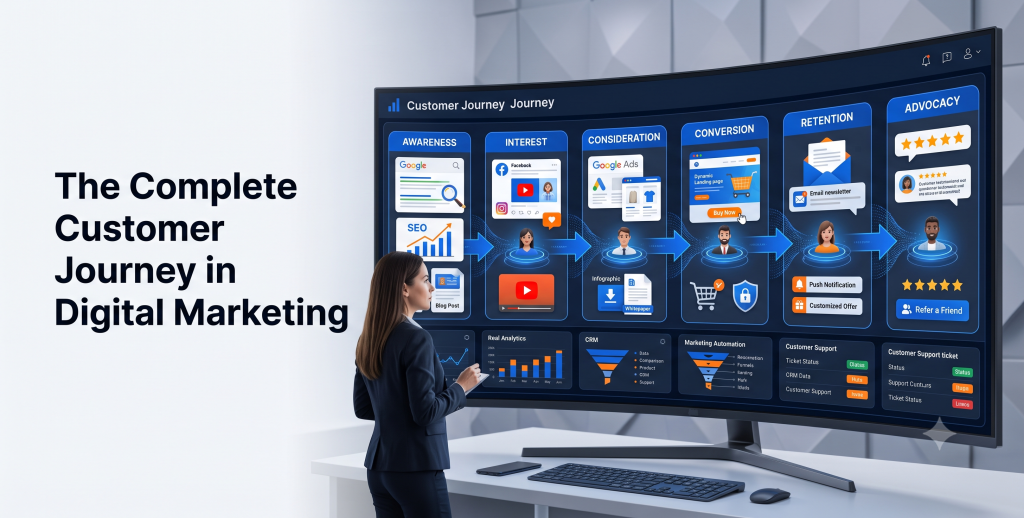
The Complete Customer Journey in Digital Marketing Ever wonder why some businesses seem to turn casual browsers into loyal customers almost effortlessly, while others struggle to convert even highly interested visitors? The answer usually comes down to one thing: they understand the customer journey. The customer journey in digital marketing isn’t just a buzzword marketers throw around in strategy meetings. It’s the actual path a person takes from the moment they first hear about your brand to the moment they become a repeat buyer — and hopefully, an advocate who brings you more customers. Understanding this journey is critical because it directly impacts your conversions, your customer experience, and ultimately, your revenue. When you know where people get stuck or drop off, you can fix it. When you don’t, you’re basically guessing. In this guide, we’ll break down the entire digital customer journey, stage by stage, and show you exactly how to optimize it using SEO, content, social media, email, paid ads, and automation. What Is the Customer Journey? The customer journey is the complete experience a person has with your brand — from first discovering you to becoming a paying, returning customer. It spans every interaction: a Google search, a social media scroll, a blog read, an email open, a product page visit, a purchase, and beyond. Unlike a simple sales funnel, the customer journey isn’t always linear. People jump back and forth between stages, research on multiple devices, and take their time. That’s exactly why mapping it out matters so much. Why Customer Journey Mapping Matters Customer journey mapping is the process of visually plotting out every touchpoint a customer has with your brand. Think of it as a roadmap of your customer’s experience. Here’s why it matters: It reveals gaps and friction points where potential customers drop off. It aligns your marketing, sales, and support teams around a single customer view. It improves personalization, since you know exactly what content to serve at each stage. It boosts customer experience and retention, which is far cheaper than acquiring new customers. A well-mapped journey turns guesswork into strategy. The Five Stages of the Customer Journey 1. Awareness This is where potential customers first learn you exist. They might discover you through a blog post, a social media ad, a Google search, or word of mouth. Your job here is visibility — show up where your audience is already looking. 2. Consideration Now they know you exist, and they’re comparing options. This stage is all about education. Comparison guides, case studies, and detailed product content help nudge them forward. 3. Decision This is the make-or-break moment. The buyer is ready to purchase but needs that final push — a discount, a strong testimonial, a clear call-to-action, or a frictionless checkout experience. 4. Retention Getting the sale is just the beginning. Retention focuses on keeping customers happy through onboarding, support, and continued value so they keep coming back. 5. Advocacy Happy customers become your best marketers. At this stage, they leave reviews, refer friends, and promote your brand organically — often more effectively than any ad campaign could. Example flow: A user sees an Instagram ad (Awareness) → reads a blog comparison (Consideration) → receives a retargeting email with a discount code (Decision) → gets a helpful onboarding sequence (Retention) → leaves a five-star review and refers a friend (Advocacy). Customer Touchpoints Explained Touchpoints are every single interaction a customer has with your brand — your website, social media, ads, emails, live chat, reviews, and even customer support calls. Mapping these touchpoints helps you understand where you’re winning and where you’re losing people. How SEO Supports Every Stage SEO isn’t just for driving traffic — it supports the entire buyer journey: Awareness: Blog posts and informational content targeting broad search queries. Consideration: Comparison articles, “best of” lists, and in-depth guides. Decision: Optimized product and landing pages with strong intent-based keywords. Retention: Help center content and FAQ pages that reduce support friction. Role of Content Marketing Content marketing fuels every stage of the digital marketing funnel. Blog posts build awareness, case studies support consideration, product pages drive decisions, and email newsletters nurture retention. Consistent, valuable content builds trust — and trust is what converts. Social Media Across the Customer Journey Social platforms aren’t just for brand awareness anymore. They influence consideration through reviews and user-generated content, support decisions through social proof, and drive retention through community engagement. A brand that responds to comments and DMs builds genuine loyalty. Email Marketing and Lead Nurturing Email remains one of the highest-ROI channels for lead nurturing. A well-structured email sequence can guide a lead from curiosity to purchase: Welcome email introducing your brand Educational emails addressing pain points Social proof (testimonials, case studies) A time-sensitive offer to prompt decision-making Paid Advertising in the Customer Journey Paid ads accelerate every stage when used strategically. Top-of-funnel ads build awareness, retargeting ads nudge consideration and decision, and loyalty-focused ads support retention. The key is matching ad messaging to the customer’s current stage — not blasting the same offer to everyone. Personalization and AI Automation AI-powered personalization is reshaping the customer experience. Tools can now automatically recommend products, personalize email content, and predict what a user needs next based on behavior. Brands using AI automation see higher engagement because customers feel understood, not marketed at. Common Customer Journey Mistakes Treating the journey as strictly linear Ignoring post-purchase experience Failing to align marketing and sales messaging Not tracking touchpoints across devices Overlooking customer feedback and reviews Best Tools for Customer Journey Mapping HubSpot – CRM with built-in journey tracking Google Analytics 4 – behavior and touchpoint data Miro or Lucidchart – visual journey mapping Hotjar – heatmaps and session recordings Salesforce – enterprise-level customer lifecycle management Future Trends in Customer Experience (2026) Expect deeper AI integration, hyper-personalized content at scale, voice and conversational search shaping awareness, and privacy-first data strategies as third-party cookies fade out. Brands that adapt to these shifts early will have a real competitive edge. Conclusion

Lead Generation & Business Growth

Digital Marketing ROI: How to Measure Success

Ask any business owner if their marketing is “working,” and most will say yes. Ask them to prove it with numbers, and the confidence often disappears. That gap between feeling successful and knowing you’re successful is exactly why digital marketing ROI matters. Without it, you’re making budget decisions based on gut feeling instead of evidence. And in a market where every dollar counts, that’s a risky way to run a business. This guide breaks down exactly how to measure digital marketing ROI, the tools that make it easier, and the mistakes that quietly distort the numbers. What Is Digital Marketing ROI? Digital marketing ROI measures the profit your marketing generates compared to what you spent to generate it. It answers one simple question: for every dollar you put into marketing, how much did you get back? It sounds simple, but ROI only means something when it’s tied to real revenue, not vague engagement numbers. A campaign can generate thousands of likes and still lose money if it never converts into sales. Why ROI Matters ROI turns marketing from a cost center into a measurable investment. It tells you: Which campaigns deserve more budget Which channels are quietly wasting money Whether your marketing team is actually driving business growth Real-world example: A boutique clothing brand ran both Instagram ads and Google Shopping ads. Engagement looked similar on both. But ROI tracking revealed Google Shopping was generating three times the revenue per dollar spent. Without that data, the brand might have kept splitting budget evenly for months. ROI vs ROAS: What’s the Difference? These two terms get confused constantly, but they measure different things. Metric What It Measures Formula ROI Overall profit after all costs (Revenue − Total Cost) ÷ Total Cost × 100 ROAS Revenue generated per ad dollar spent Revenue ÷ Ad Spend ROAS only looks at ad spend. ROI accounts for everything — ad spend, tools, labor, and overhead. A campaign can show a strong ROAS while still delivering a weak ROI if operational costs eat into the margin. Key Metrics That Measure Marketing Success Not every metric deserves equal attention. Focus on the ones tied directly to revenue and customer behavior: Conversion rate Cost per lead Customer acquisition cost (CAC) Customer lifetime value (CLV) Return on ad spend (ROAS) Website traffic quality, not just volume Expert tip: If a metric doesn’t influence a business decision, it’s probably a vanity metric. Track it out of curiosity, not strategy. How to Calculate Marketing ROI The basic formula looks like this: ROI = (Revenue Generated − Marketing Cost) ÷ Marketing Cost × 100 Example calculation A local dental practice spends $2,000 on a Facebook ad campaign. It generates $8,000 in new patient revenue. ROI = ($8,000 − $2,000) ÷ $2,000 × 100 = 300% ROI That means for every dollar spent, the practice earned three dollars back in profit. Simple, and incredibly useful for comparing campaigns side by side. Best Tools to Measure ROI Tool Best For Google Analytics Website traffic and conversion tracking Google Search Console Organic search performance HubSpot CRM-based revenue attribution Meta Ads Manager Social ad performance Google Ads PPC conversion tracking Most businesses don’t need every tool at once. Start with Google Analytics and your CRM, since together they cover the majority of ROI tracking needs. Tracking Website Conversions Conversions are the backbone of ROI measurement. Set up conversion tracking for every meaningful action, not just final purchases: Form submissions Phone call clicks Newsletter sign-ups Add-to-cart actions Best practice: Use goal tracking in Google Analytics to see exactly which pages and campaigns drive the most conversions, not just the most traffic. Measuring SEO Performance SEO ROI takes longer to show up, but it compounds over time. Track: Organic traffic growth Keyword rankings for target terms Conversion rate from organic visitors Backlinks earned A blog post that ranks well can keep generating leads for years without additional spend, which makes its long-term ROI difficult to match with paid channels alone. Measuring PPC ROI For paid campaigns, focus on cost per conversion, not just clicks. Formula: PPC ROI = (Revenue from Ads − Ad Spend) ÷ Ad Spend × 100 Pro tip: Compare ROI across campaigns, not just overall account performance. One underperforming campaign can quietly drag down your entire average. Measuring Social Media ROI Social media ROI goes beyond likes and shares. Tie it to actual outcomes: Leads generated from social campaigns Website traffic originating from social platforms Conversions tracked through UTM parameters Real-world example: A fitness studio tracked Instagram-driven sign-ups using a dedicated landing page and UTM link. That single change revealed Instagram was responsible for nearly a third of new memberships, something engagement metrics alone never showed. Measuring Email Marketing ROI Email remains one of the most cost-effective channels available, largely because sending costs stay low while conversion potential stays high. Formula: Email ROI = (Revenue from Email − Email Costs) ÷ Email Costs × 100 Track open rates and click-through rates, but weigh them against actual conversions and revenue generated per campaign. Common ROI Measurement Mistakes Tracking vanity metrics instead of revenue-linked data Ignoring the customer lifetime value, not just the first purchase Failing to set up proper conversion tracking before launching a campaign Comparing channels without accounting for different sales cycles Attributing all revenue to the last click, ignoring earlier touchpoints Tips to Improve Marketing ROI Set clear, measurable goals before every campaign Test small before scaling ad spend Improve landing page conversion rates before increasing traffic Use retargeting to recover visitors who didn’t convert the first time Review performance monthly, not just at the end of a quarter Future of Marketing Analytics in 2026 AI-powered attribution models are making it easier to see which touchpoints truly influence a purchase, rather than crediting only the final click. Privacy-focused tracking is also reshaping analytics, pushing businesses toward first-party data collection as third-party cookies continue fading out. Expect ROI measurement to become more accurate, but also more dependent on owning your own customer data directly.

Lead Generation & Business Growth

Why Most Marketing Campaigns Fail

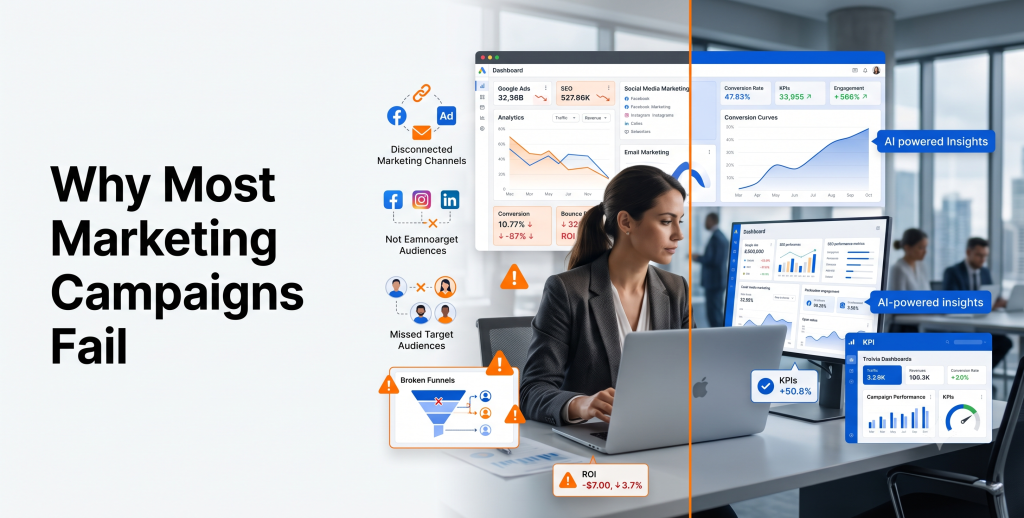
A client once told me she’d spent her entire quarterly budget on a campaign that generated exactly four leads. Four. The ads looked polished. The offer seemed solid. On paper, everything should have worked. It didn’t, and it’s not because marketing is unpredictable magic. It’s because most campaigns fail for the same handful of reasons, over and over, regardless of industry or budget size. This article breaks down exactly why most marketing campaigns fail, and more importantly, what separates the campaigns that actually deliver results from the ones that quietly drain budgets. What Makes a Marketing Campaign Successful? Before looking at failure, it helps to define success clearly. A successful marketing campaign does three things: Reaches the right audience with a message that resonates Guides that audience toward a clear, specific action Delivers a measurable return that justifies the spend Notice what’s missing from that list: fancy visuals, viral moments, or clever taglines. Those things help, but they’re not the foundation. Strategy is the foundation. Top Reasons Marketing Campaigns Fail Most campaign failures trace back to a mix of unclear planning, weak execution, and poor follow-through. Let’s go through each one in detail. Lack of Clear Goals “We want more sales” isn’t a goal. It’s a wish. A real goal looks like: “Generate 50 qualified leads for our SaaS trial within 60 days at a cost per lead under $40.” That’s specific, measurable, and time-bound. Without a clear goal, you can’t judge whether a campaign worked. You just feel vaguely good or vaguely disappointed, with no data to back either feeling up. Fix: Set one primary goal per campaign, along with a specific number and timeframe attached to it. Poor Audience Research Marketing to “everyone” means marketing to no one effectively. I’ve seen local service businesses run ads targeting an entire city when their actual customers lived within a five-mile radius of specific neighborhoods. The budget got spread thin across people who were never going to convert. Fix: Build a real customer profile — age range, location, pain points, buying behavior — before writing a single line of ad copy. Weak Value Proposition If your ad doesn’t answer “why should I choose you instead of the next option,” it won’t convert, no matter how much you spend boosting it. A gym that advertises “Join today!” says nothing. A gym that advertises “Lose 10 pounds in 8 weeks with a personal trainer, no long-term contract” gives people a reason to click. Wrong Marketing Channels Not every channel fits every business. A B2B software company chasing leads on Instagram often wastes budget that would perform far better on LinkedIn or through targeted search ads. Business Type Often Strong Channels Often Weak Channels B2B SaaS LinkedIn, Google Ads, Email TikTok, Pinterest Local Service Google Business Profile, Facebook LinkedIn E-commerce Instagram, Facebook Ads, Google Shopping LinkedIn B2B Consulting LinkedIn, Email, Referrals TikTok Poor Landing Pages Driving traffic to a cluttered homepage instead of a focused landing page is one of the most common digital marketing failures I see. A landing page needs one job: convert visitors for one specific offer. Multiple competing calls-to-action confuse people, and confused visitors leave. Weak Content Strategy Publishing content inconsistently, or without any connection to what your audience actually searches for, wastes time and rarely builds momentum. Fix: Build content around real customer questions, then publish consistently rather than in bursts followed by long silence. Ignoring SEO Paid ads stop working the moment you stop paying. SEO keeps working long after the initial effort, which makes ignoring it one of the costliest marketing strategy mistakes a business can make. Even a handful of well-optimized pages targeting specific search terms can outperform months of paid campaigns in long-term value. Poor Ad Targeting Broad targeting feels safer, but it usually burns budget fast. Narrow, intent-based targeting almost always outperforms casting a wide net. Fix: Layer targeting by demographics, interests, and behavior, then refine based on which segments actually convert. Low-Quality Creatives Blurry images, generic stock photos, and copy that reads like a corporate memo all quietly kill conversion rates. People respond to creatives that feel authentic. A short, slightly imperfect video of a real product in use often outperforms a polished but generic studio shot. Lack of Personalization Sending the same message to every lead, regardless of where they are in the buying journey, is a fast way to lose interest. A first-time website visitor and a returning customer who abandoned their cart need completely different messages. No Marketing Automation Manually managing follow-ups doesn’t scale. Without automation, leads slip through the cracks simply because no one remembered to follow up in time. Fix: Set up automated sequences triggered by specific actions, like a form submission or a pricing page visit. Poor Follow-Up Process Studies on sales response times consistently show that faster follow-up significantly increases conversion likelihood. Yet many businesses take days to respond to a new lead. Fix: Aim to make first contact within minutes to hours, not days, especially for high-intent leads. Weak Lead Nurturing Not every lead is ready to buy immediately. Without a nurturing sequence, many simply forget about you and move on to a competitor who stayed in touch. Budget Mismanagement Spending the entire budget upfront, without testing first, is one of the most common advertising mistakes small businesses make. Fix: Start with a smaller test budget, identify what performs, then scale spend into the winning campaigns. No A/B Testing Guessing which headline or image performs better wastes money. Testing removes the guesswork. Even simple tests — one headline against another — often reveal surprising differences in performance that pure intuition would never predict. Ignoring Analytics Running a campaign without checking analytics is like driving with your eyes closed. You might get lucky, but you won’t know why, and you can’t repeat it. Tracking the Wrong KPIs Likes and impressions feel satisfying, but they rarely pay the bills. Focus on metrics tied directly to revenue and lead quality instead. Vanity Metric Better Metric to Track

Lead Generation & Business Growth

How to Generate Quality Leads Online

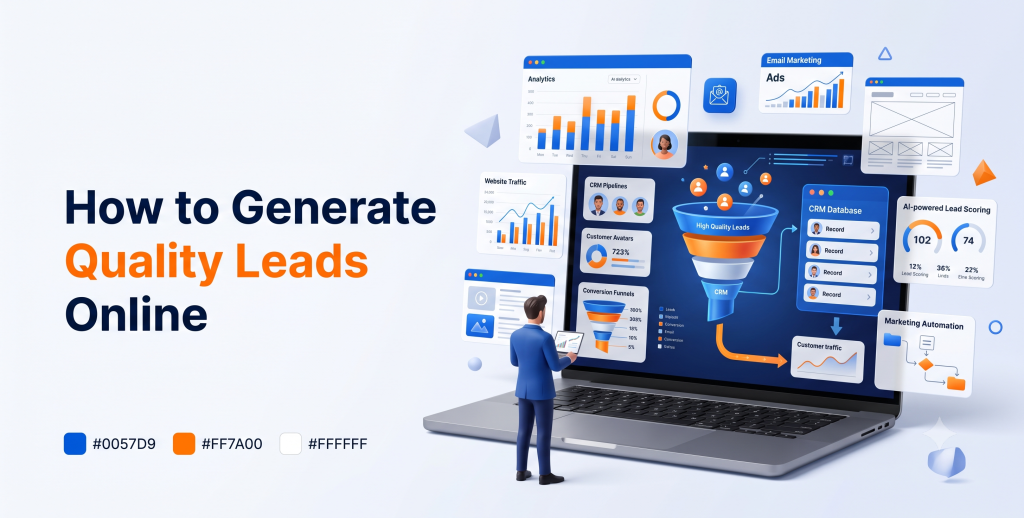
Here’s a mistake I see constantly: a business owner gets excited about 500 new website visitors, only to realize a month later that not one of them turned into a paying customer. That’s the trap of chasing numbers instead of quality. Traffic feels good on a dashboard. Leads feel good in your bank account. And quality leads — the ones who actually need what you sell and can afford it — are what keep a business alive. This guide breaks down how to generate quality leads online, step by step, using strategies that work in 2026 and beyond. No fluff, no fabricated promises — just what actually moves the needle. What Are Quality Leads? A quality lead is someone who fits your ideal customer profile, has a genuine need for your product or service, and has the intent or budget to act soon. Compare that to a “leaky bucket” lead: someone who downloaded your free guide out of curiosity, never opens your emails, and never had any intention of buying. Quality leads typically share these traits: They match your target demographic or industry They’ve shown active interest, not just passive curiosity They have the authority or budget to make a purchase decision They’re at the right stage of readiness to consider buying Difference Between Quality Leads and Random Traffic Traffic and leads are not the same thing, even though people mix them up constantly. Random Traffic Quality Leads Visits your site once, never returns Engages repeatedly across channels No clear intent or need Clear problem they want solved Low or no conversion likelihood Reasonable to high conversion likelihood Costs you resources with little return Justifies the marketing spend behind it A blog post that goes viral might bring thousands of visitors overnight. If none of them are your target customer, that traffic spike does almost nothing for revenue. Quality beats quantity, every time. Understanding the Customer Journey Every lead moves through stages before becoming a customer. Skipping steps or rushing the process usually backfires. Awareness — they realize they have a problem Consideration — they research possible solutions Decision — they compare specific providers, including you Purchase — they commit Retention — they stay, and hopefully refer others Your lead generation marketing should meet people where they are in this journey, not push everyone toward a sale on day one. Build an SEO-Optimized Website Your website is often the first real interaction a lead has with your brand. If it loads slowly or confuses visitors, they leave before you ever get a chance to convert them. Website essentials for lead generation Fast loading speed on both desktop and mobile Clear, benefit-driven headlines above the fold Visible calls-to-action on every key page Simple contact and quote request forms Expert tip: Every service page should answer one question — “why should I choose you over the next search result?” If it doesn’t, rewrite it. Content Marketing for Lead Generation Content builds trust before a prospect ever talks to your sales team. Blog posts, guides, and case studies answer questions your leads are already searching for. A SaaS company targeting HR teams might publish “How to Reduce Employee Turnover in 2026.” That single article can attract exactly the right audience, month after month, without ongoing ad spend. Best practice: Match content to funnel stage. Top-of-funnel content should educate. Bottom-of-funnel content, like comparison pages or case studies, should help someone decide. Landing Pages That Convert A generic homepage rarely converts as well as a dedicated landing page built for one specific offer. Lead Magnets A lead magnet trades something valuable for a visitor’s contact information. It only works if the value is real. Effective lead magnet ideas include: Free templates or checklists Short educational webinars Free consultations or audits Industry benchmark reports Avoid generic magnets like “10 Tips for Success.” Specific, practical resources convert far better than vague ones. Email Marketing Funnels Once you capture a lead’s email, the real relationship-building begins. Email marketing funnels nurture leads automatically, moving them from curious to convinced. A simple, effective funnel looks like this: Welcome email introducing your brand and value Educational email solving a small piece of their problem Case study or proof email showing real results Direct offer email with a clear next step Lead nurturing through email consistently produces some of the strongest returns of any digital channel, largely because it’s low-cost and highly targeted. Google Ads Lead Campaigns Google Ads captures people actively searching for solutions, which makes it one of the fastest ways to generate sales leads with clear intent. Pro tip: Use call-only ads for service businesses where phone conversations close deals faster than online forms. Focus on: Tight keyword targeting tied to buying intent Dedicated landing pages, not your homepage Negative keywords to filter out irrelevant clicks Facebook Lead Ads Facebook Lead Ads let prospects submit their information without ever leaving the platform, which reduces friction significantly. This format works especially well for: Local service businesses Webinar or event sign-ups Free trial or demo offers Keep forms short. Every extra field you ask for reduces completion rates. LinkedIn Lead Generation For B2B lead generation, LinkedIn remains one of the most reliable platforms available. Decision-makers are there, and the targeting options let you reach specific job titles and industries directly. Use LinkedIn Lead Gen Forms to reduce drop-off Share genuinely useful posts, not constant self-promotion Engage in relevant industry groups and discussions Organic Social Media Paid ads get attention fast, but organic social media builds long-term trust. Share behind-the-scenes content, client wins, and educational posts consistently. The goal isn’t viral reach. It’s staying visible and credible to the audience most likely to become leads. Video Marketing Video builds trust faster than text alone. Short explainer videos, testimonials, and product demos help prospects understand your value quickly. Even simple, smartphone-recorded videos work well when they’re genuine and answer real customer questions. AI Chatbots AI chatbots can qualify leads instantly, even outside business hours. A well-configured chatbot asks a few smart questions,

Scroll to Top