
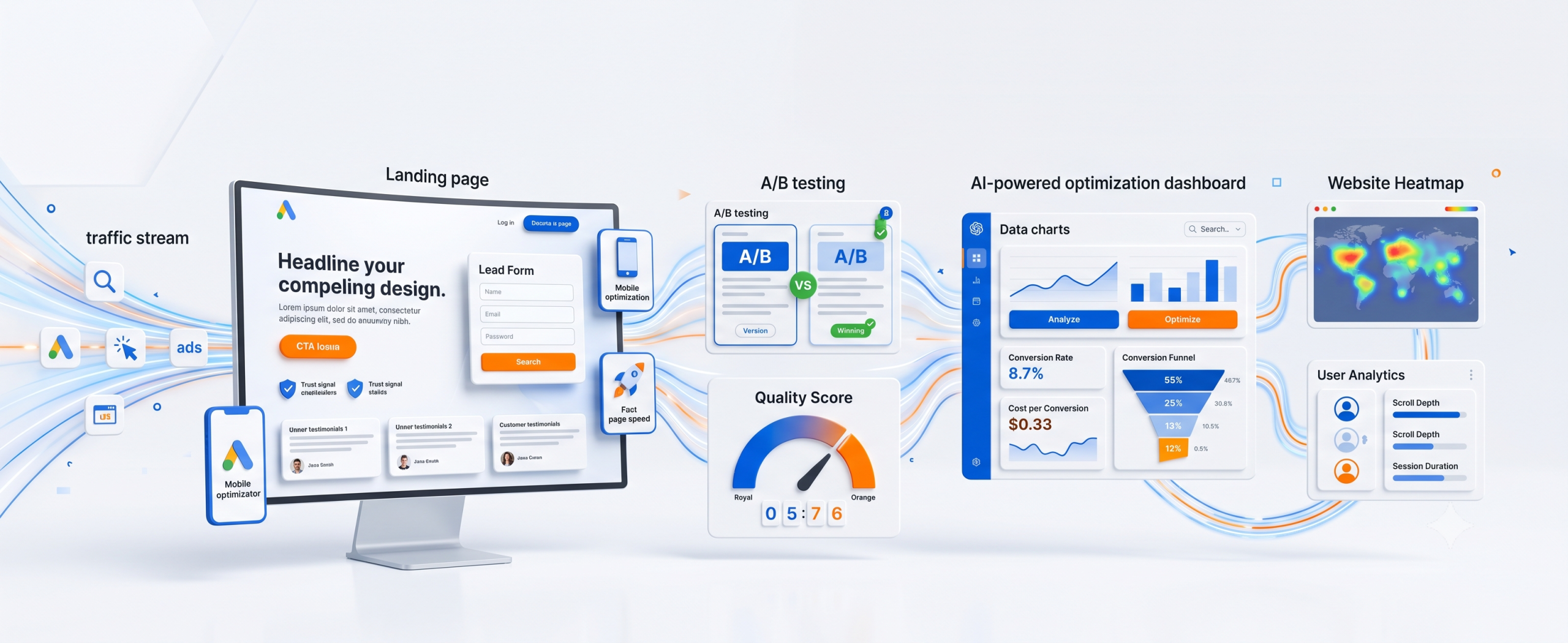
Here’s a scenario I’ve seen play out hundreds of times in my years running PPC campaigns: a business builds a solid Google Ads campaign, writes tight ad copy, picks smart keywords, sets a healthy budget — and then sends all that traffic straight to their homepage.
Three weeks later, they’re staring at a dashboard full of clicks and almost no conversions.
The ads weren’t the problem. The landing page was.
Paid traffic is expensive. Every click costs money whether or not it converts. When you send that traffic to a page that doesn’t match the ad, loads slowly, or asks for too much information too soon, you’re not just missing conversions — you’re actively burning budget. This guide walks through exactly what separates a landing page that converts from one that quietly drains your ad spend.
What Is a Google Ads Landing Page?
A Google Ads landing page is a standalone web page built specifically for visitors who click on a paid ad. Unlike your homepage, which serves many purposes and many audiences, a landing page has one job: convince that specific visitor to take one specific action.
That action might be filling out a form, booking a call, starting a free trial, or completing a purchase. Everything on the page should push toward that single outcome.
Why Landing Pages Matter More Than Homepages
Homepages are built for exploration. They have navigation menus, multiple offers, blog links, and a dozen possible next steps. That’s fine for organic visitors who are browsing.
But someone who clicked a Google Ad already showed intent. They searched for something specific, read your ad, and clicked because it matched what they wanted. If they land on a generic homepage, they have to hunt for relevance — and most won’t bother.
A dedicated landing page removes the guesswork. It picks up exactly where the ad left off.
Key Elements of a High-Converting Landing Page
Before we go section by section, here’s the shortlist of what every strong landing page needs:
- A headline that mirrors the ad’s promise
- A clear, specific value proposition
- One obvious call-to-action
- A short, low-friction form
- Trust signals (reviews, badges, guarantees)
- Fast load speed
- Mobile-first design
- Relevant, high-quality visuals
Miss even two or three of these, and your conversion rate will suffer.
Write Headlines That Match Ad Intent
This is called message match, and it’s one of the most overlooked ranking and conversion factors in PPC.
If your ad says “Affordable CRM Software for Small Teams,” your landing page headline should not say “Welcome to Our Platform.” It should echo the exact promise: “Affordable CRM Software Built for Small Teams.”
When the headline matches the ad, visitors instantly know they’re in the right place. That reassurance alone can lift conversions significantly.
Tip: Run multiple ad groups with different messaging? Build a separate landing page (or at least a dynamic headline) for each one.
Create a Strong Value Proposition
Your value proposition answers one question in the visitor’s mind: “Why should I choose you instead of closing this tab?”
A weak value proposition talks about the company. A strong one talks about the outcome the visitor gets.
Weak: “We provide accounting software solutions.” Strong: “Do your books in 10 minutes a week — no accountant required.”
Keep it above the fold. Keep it specific. Avoid vague words like “innovative” or “leading” that don’t actually tell anyone anything.
Design a Clear Call-to-Action (CTA)
Your CTA button is the single most important pixel on the page, yet it’s often the most neglected.
A few rules that consistently work:
- Use action-first language: “Get My Free Quote” instead of “Submit”
- Make the button color contrast sharply with the background
- Place one CTA above the fold and repeat it further down
- Avoid multiple competing CTAs that split attention
One clear path forward beats five confusing options every time.
Keep Forms Short and User-Friendly
Every extra form field is a small tax on your conversion rate. Ask yourself: do you really need a phone number and company size to send someone a free guide?
For lead generation landing pages, stick to the essentials — usually name and email. You can always gather more information later in the sales process.
Quick test: For every field, ask “Would I abandon this form if I saw this field?” If the answer is maybe, cut it.
Use Trust Signals (Reviews, Testimonials, Certifications)
People don’t buy from businesses they don’t trust, especially on a first visit from a cold ad click.
Effective trust signals include:
- Verified customer reviews with names and photos
- Industry certifications or security badges
- Client logos (if you work with recognizable brands)
- Money-back guarantees or free trial terms clearly stated
Place these near your CTA, not buried at the bottom of the page. Visitors should see proof right when they’re deciding whether to act.
Optimize for Mobile Devices
More than half of Google Ads clicks now come from mobile devices, depending on your industry. If your landing page isn’t built mobile-first, you’re losing a majority of your traffic before they even read your headline.
Mobile optimization checklist:
- Buttons large enough to tap easily
- Forms that don’t require zooming
- Fast-loading images sized for smaller screens
- No pop-ups that block the main content
Test your actual page on an actual phone. Emulators miss things real devices catch immediately.
Improve Landing Page Speed
Page speed isn’t just a UX nicety — it directly affects your Quality Score in Google Ads, which affects your cost per click.
A page that takes more than three seconds to load can lose a significant chunk of visitors before it even finishes rendering.
Ways to speed things up:
- Compress and resize images
- Limit third-party scripts and tracking pixels
- Use a lightweight page builder or clean code
- Enable browser caching and a content delivery network
Add High-Quality Visuals
Visuals should support the offer, not decorate the page. A product screenshot, a short demo video, or a real photo of your team builds credibility fast.
Avoid generic stock photos of people shaking hands in suits — visitors have learned to tune those out. Authentic, specific imagery performs better and looks more trustworthy.
Use Social Proof to Build Credibility
Beyond testimonials, social proof includes things like:
- “Trusted by 12,000+ businesses”
- Case study snippets with real numbers
- Star ratings from third-party review platforms
- Recent activity notifications (e.g., “3 people signed up today”)
Numbers and specifics work better than vague claims. “Rated 4.8/5 by 900+ customers” beats “Loved by our customers” every time.
A/B Testing for Better Results
You will not get your landing page perfect on the first try. Nobody does. That’s what testing is for.
Test one variable at a time so you know what actually caused the change:
| Element | Variation A | Variation B |
|---|---|---|
| Headline | Feature-focused | Outcome-focused |
| CTA color | Blue | Orange |
| Form length | 5 fields | 2 fields |
| Hero image | Product photo | Team photo |
Run tests long enough to reach statistical significance, not just a few days. Small sample sizes lead to false conclusions.
Common Landing Page Mistakes to Avoid
- Sending all ad traffic to the homepage
- Using multiple competing CTAs
- Hiding pricing or key details behind extra clicks
- Slow load times that Google itself penalizes
- No mobile testing before launch
- Asking for too much information upfront
- Generic headlines that don’t match ad copy
Fixing even one of these can produce a noticeable conversion lift.
Best Tools for Landing Page Optimization
| Tool | Best For |
|---|---|
| Unbounce | Fast landing page building with A/B testing |
| Instapage | Enterprise-level personalization |
| Google Optimize alternatives (e.g., VWO) | Structured A/B and multivariate testing |
| Hotjar | Heatmaps and session recordings |
| PageSpeed Insights | Speed diagnostics |
| Google Ads Landing Page Report | Direct performance data by URL |
You don’t need every tool at once. Start with one for building, one for testing, and one for speed monitoring.
Landing Page Best Practices for 2026
- Prioritize Core Web Vitals — Google increasingly ties speed and stability to ad performance
- Design for AI-driven search snippets and voice search referrals
- Use short-form video above the fold where relevant
- Personalize headlines dynamically based on ad group or keyword
- Keep privacy and consent messaging clear as data regulations tighten
Conversion Optimization Checklist
- Headline matches ad copy
- Value proposition is specific, not generic
- One primary CTA, repeated
- Form has only essential fields
- Trust signals near the CTA
- Mobile-tested on a real device
- Page loads in under 3 seconds
- Visuals are authentic and relevant
- A/B test running or planned
Conclusion
A great Google Ads campaign can only carry you halfway. The landing page is where clicks actually turn into customers — or quietly disappear. Match your headline to your ad, cut your form down to the essentials, build trust fast, and keep testing. Small, consistent improvements to your landing page compound into a much lower cost per conversion over time.
If you’re currently sending paid traffic to a generic homepage, that’s the first thing to fix this week.
Ready to stop wasting ad spend? Audit your current landing page against the checklist above, or start building a dedicated page for your next campaign today.
Frequently Asked Questions
1. What makes a landing page different from a regular website page? A landing page is built for one specific goal and one specific audience, usually visitors from a single ad campaign. A regular website page serves multiple purposes and audiences.
2. How many form fields should a lead generation landing page have? Generally two to four fields. Name and email are often enough; every additional field can reduce completion rates.
3. Does landing page speed really affect Google Ads costs? Yes. Landing page experience factors into your Quality Score, which influences your cost per click and ad rank.
4. Should I use the same landing page for all my ad groups? No. Different ad groups usually target different intents. Matching each one to a tailored landing page improves relevance and conversion rates.
5. How long should I run an A/B test before picking a winner? Long enough to collect statistically significant data, typically at least one to two weeks depending on your traffic volume.
6. Do I need a developer to build a high-converting landing page? Not necessarily. Tools like Unbounce and Instapage let marketers build and test pages without coding, though custom development offers more control for complex needs.